
Home / Guides / Powrtouch automatic motor mover
Powrtouch automatic motor mover guide
A quick-start guide to using the Powrtouch automatic motor mover on a Go-Pod, including powering the unit, turning on the remote, engaging the drive rollers and understanding the movement controls.
On this page3 sections
Take the shove-and-swear out of manoeuvring
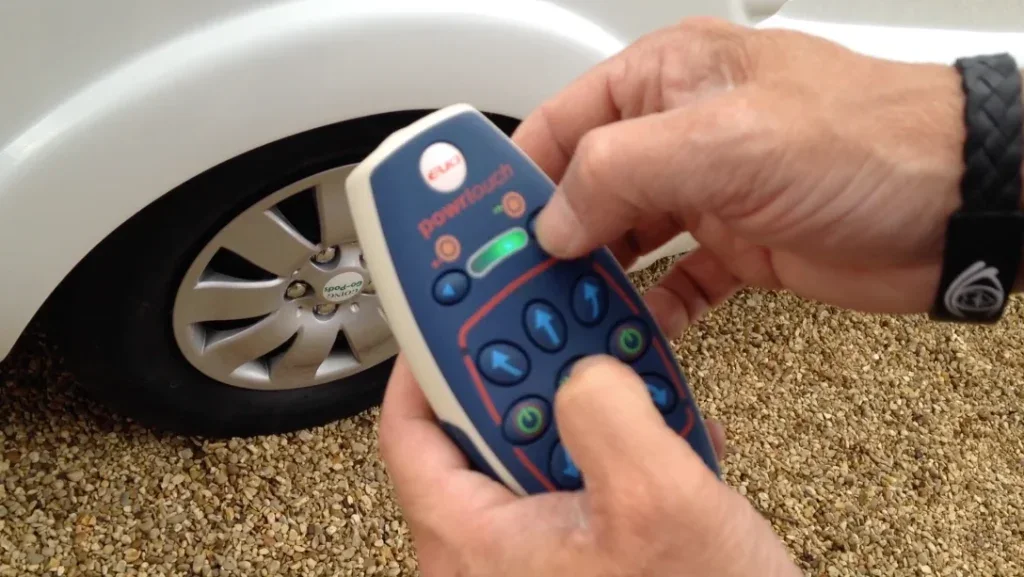
One of the most popular Go-Pod accessories, the Powrtouch automatic motor mover takes the stress out of positioning your Go-Pod at home, on campsites, or when moving it in and out of storage. Instead of pushing and pulling by hand, you can make small, controlled movements using the remote.
Driveways and tight spaces
Campsites and awkward pitches
Wet grass, gravel and inclines
Storage sites and precise parking
Using the motor mover in 4 steps
The basic process is simple once you know the order: power the unit, turn on the remote, engage the drive rollers, then move the Go-Pod slowly using the directional controls.
01
Turn on the isolator
Locate and turn on the red power isolator switch to provide power to the motor mover unit.
02
Turn on the remote
Press both green power buttons at the same time and hold for 1–3 seconds until the green bar illuminates.
03
Engage the drive rollers
Press the centre engage/disengage button and the top-right button (to the right of the green LED) simultaneously. Hold them for a few seconds to move the drive rollers into contact with the Go-Pod wheels.
04
Move the Go-Pod slowly
Use the directional buttons carefully, keeping people clear and making small adjustments rather than rushing.
Understanding the movement controls
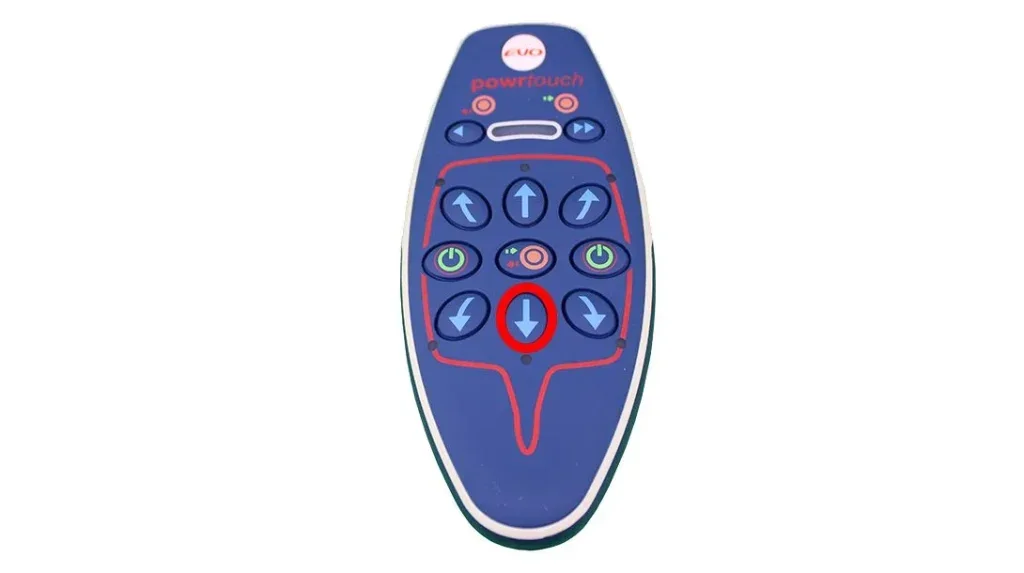
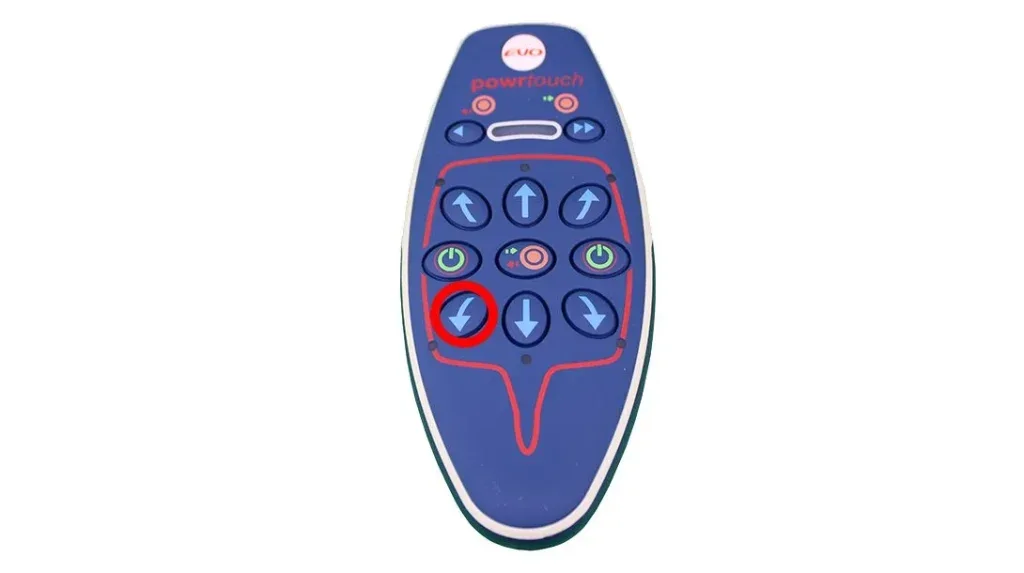
The red outline on the remote represents the Go-Pod from above, with the drawbar at the bottom. This is why the directional buttons can feel reversed at first. Make small, slow adjustments and keep people clear.
Forwards, straight
To move the Go-Pod forwards in a straight line, press the down arrow directly below the centre engage/disengage button. This activates the drive rollers on both sides to move the wheels together.
Right
To move forwards to the right, press the arrow button directly below the left-hand power button. This moves the left-hand side of the Go-Pod forwards while the right-hand side drive roller reverses.
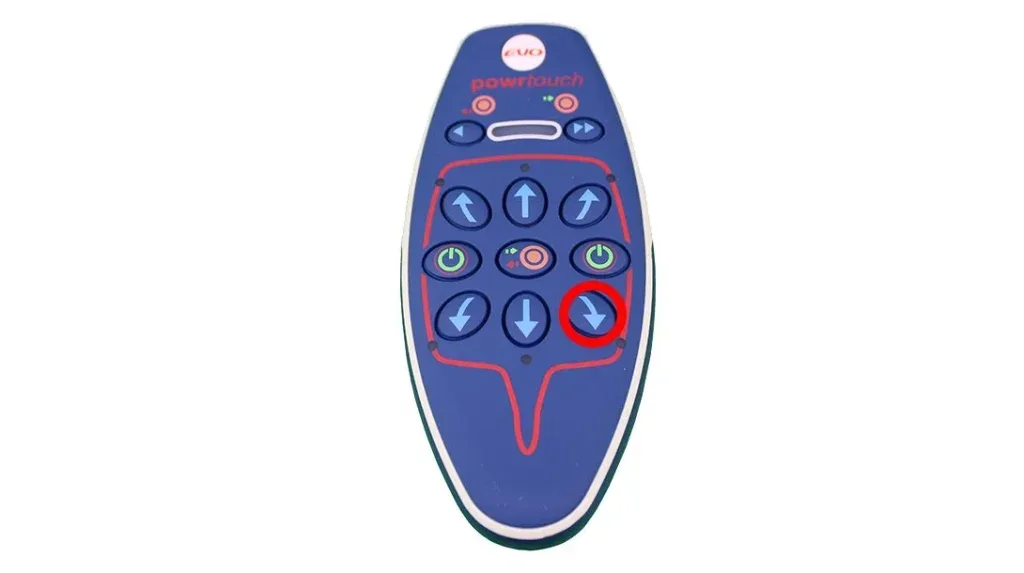
Left
To move forwards to the left, press the arrow button directly below the right-hand power button. This moves the right-hand side of the Go-Pod forwards while the left-hand side drive roller reverses.
Use the motor mover slowly and carefully
This guide is intended as a helpful owner overview for Go-Pods fitted with a Powrtouch automatic motor mover. Your fitted unit, remote control or isolator position may vary depending on the age and specification of your Go-Pod.
Always follow the instructions supplied with your own motor mover system. If anything behaves unexpectedly, stop using it and seek advice before continuing.
Motor mover safety basics

• Keep people, pets and obstacles clear while moving the Go-Pod.
• Make small, slow movements rather than sharp corrections.
• Check that the drive rollers are fully engaged before moving.
• Disengage the rollers and turn the system off when finished.
• Never rely on the motor mover as a replacement for safe towing, braking, chocking or common sense.
Thinking about adding a motor mover?
Browse Go-Pod accessories, read more owner guides, or contact Go-Pods if you would like advice about motor movers and other useful upgrades.